It is sometimes hard to estimate how a match will go, without knowing the formation and settings of your opponent. And of course, there is always some luck involved as well.
During a match, you have multiple ways to influence the game: by playing action cards, making substitutions, giving half-time instructions, making player movements on the field, adjusting effort, and changing tactical settings.

Besides the substitutions, there is one way to affect the course of a match after it starts, and that is by playing a half-time direction trading card. Those cards will change the approach in the second half of the match. This could be the perfect way to turn around a losing match.
The following half-time cards are available:
Encourage card (common) increases team effort by 25% (up to max 150%)
Encourage (uncommon) increases team effort by 50% (up to max 150%)
Take it slow (common) reduces energy consumption by 50%.
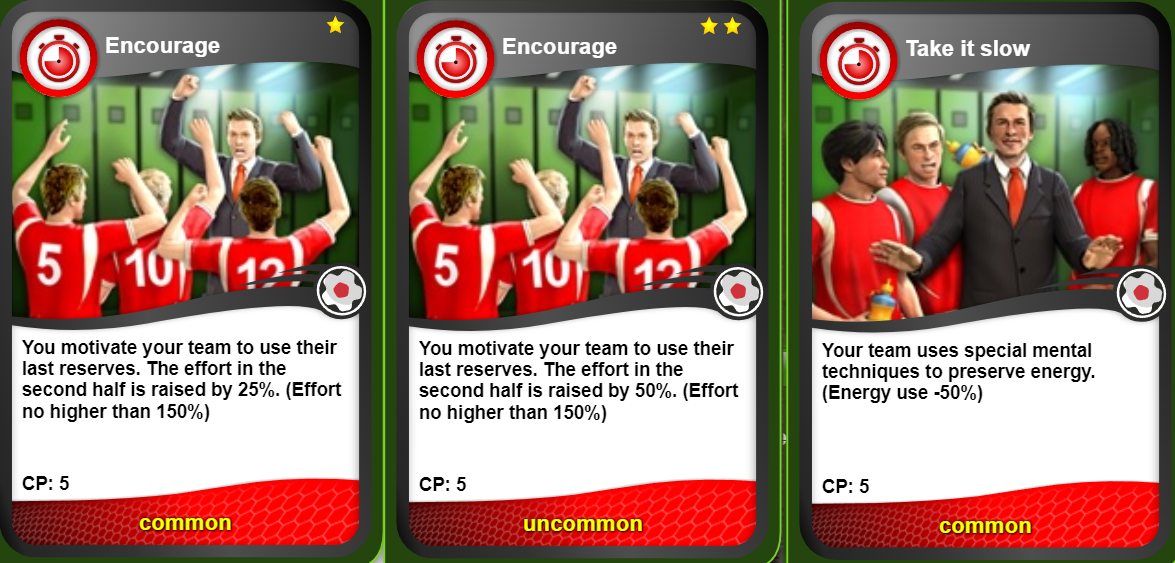
Full attack (rare) instructs the team to create more chances, but the risk for counterattacks is greater.
Full defence (uncommon) instructs the team to create a full defensive block, opponent chances go down, but yours as well.
Play for free kicks (rare) instructs your team to get more free kicks, risk for yellow cards is higher
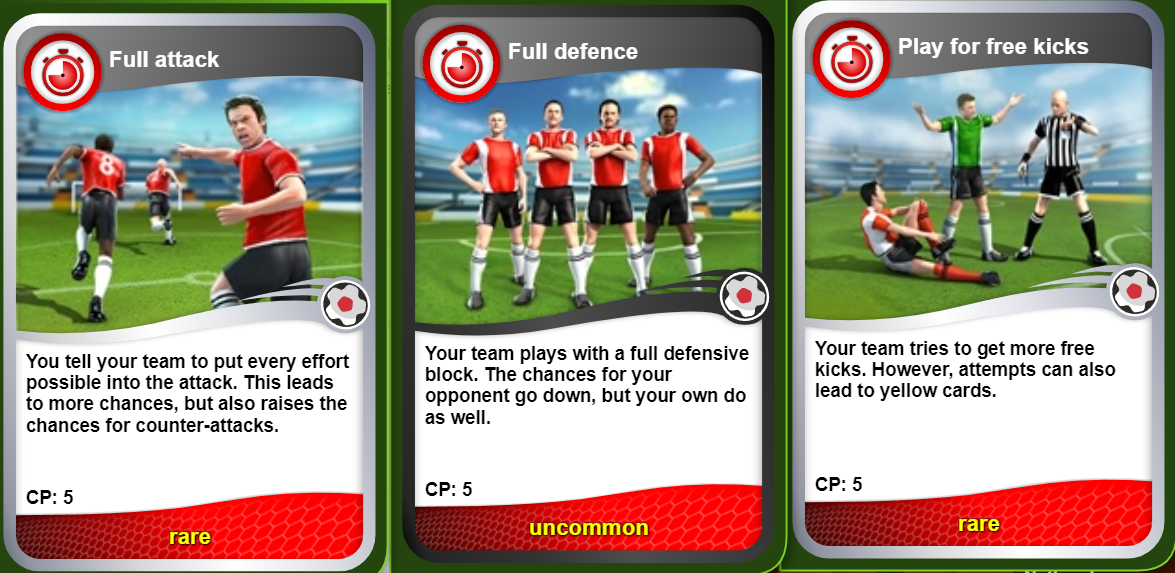
Get penalties (ultra-rare): Your team tries to get a penalty, the yellow cards risk is high.
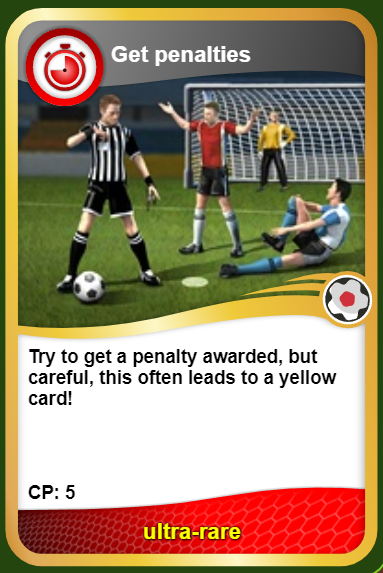
Midfield control: Your team is focusing more on the midfield sector
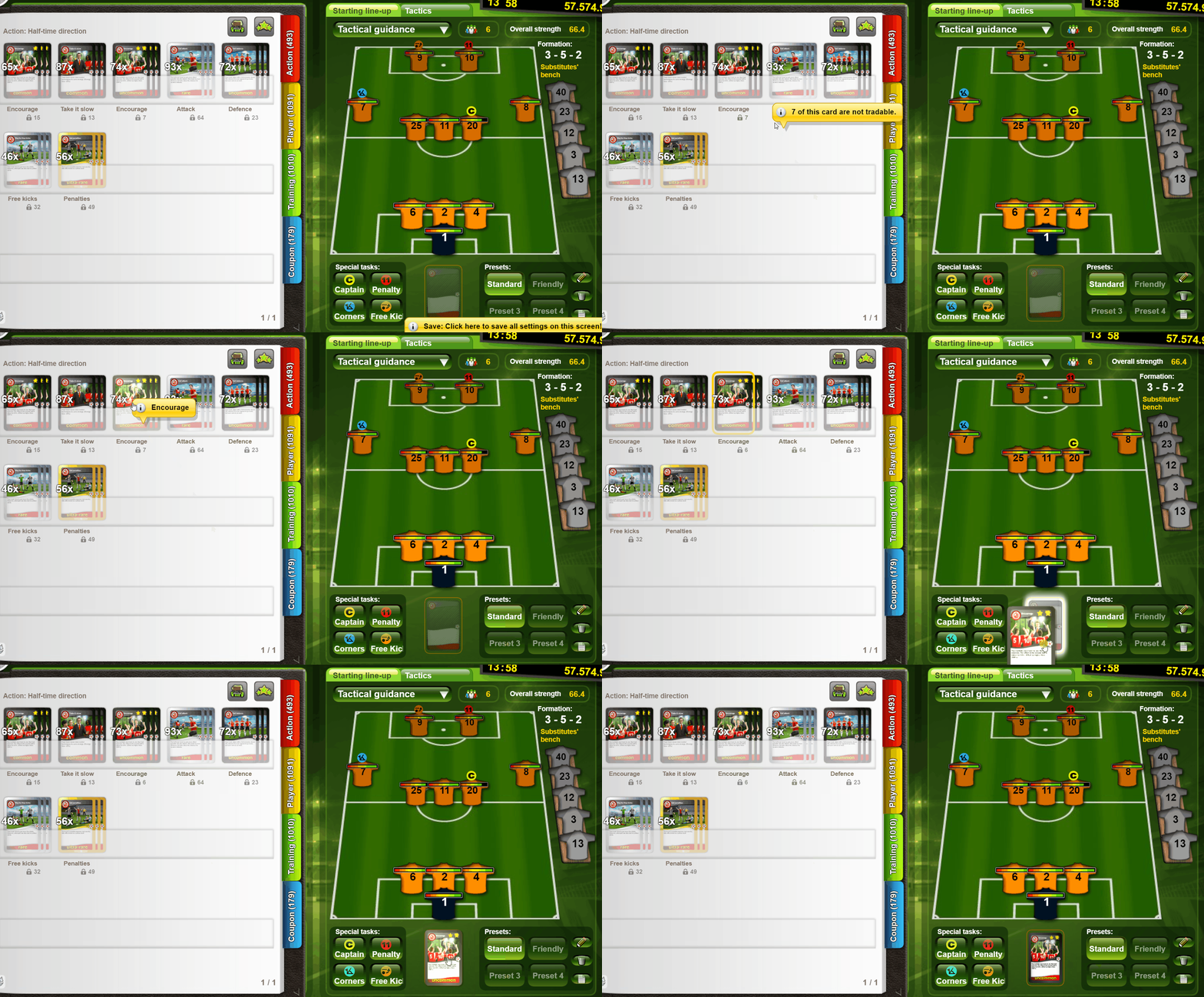
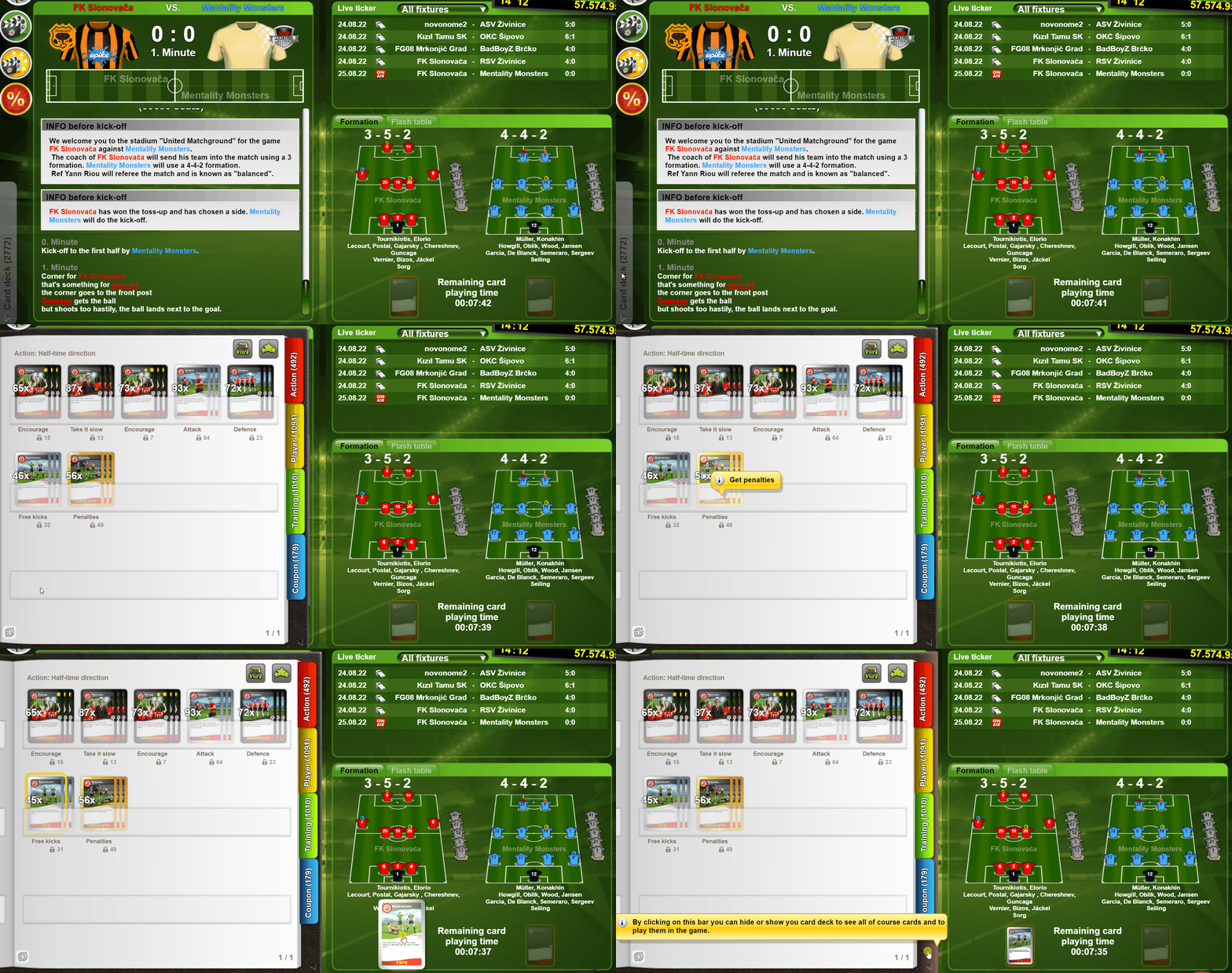
An action card can be played in any match type. You can save a card at the time you set the formation, or you can place it right into the live ticker up until 50 minutes after kick-off. (And of course, you can change or remove the card added at any time until 50 minutes after kick-off.)

Here is how you can play an action card in the lineup:
Here is how to add an action card in live ticker:
In goalunited, the manual substitutions can be used for all matches in the official competitions (League, IM and cup) and in 1-on-1 GUFA Clash matches.
During the first half, the Halftime instructions tab in the Live ticker becomes active.
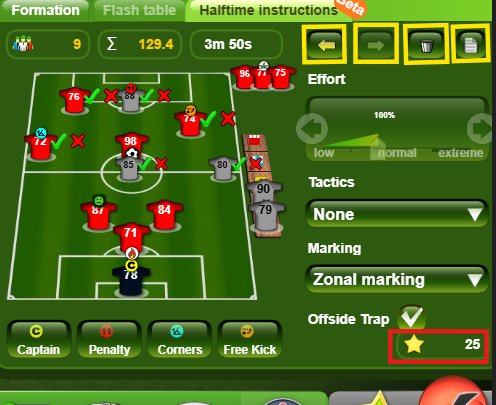
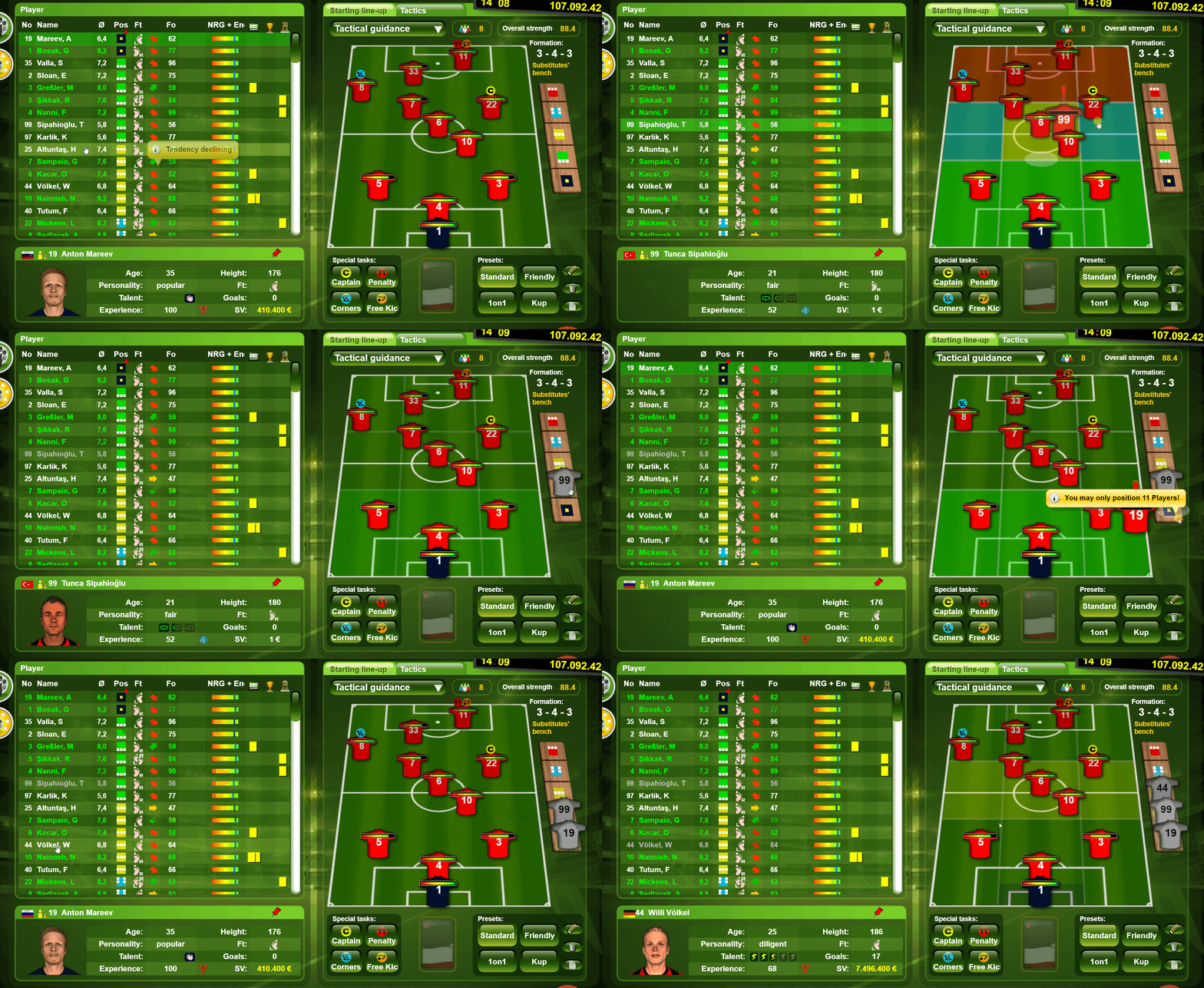
To replace one or more players for the second half, click the player in the formation that you want to replace and then click the player on the bench that you want to enter the field.
If a player has a specific role (captain, free kicks etc), and you decide to replace him, make sure you assign the role to one of the players on the field.
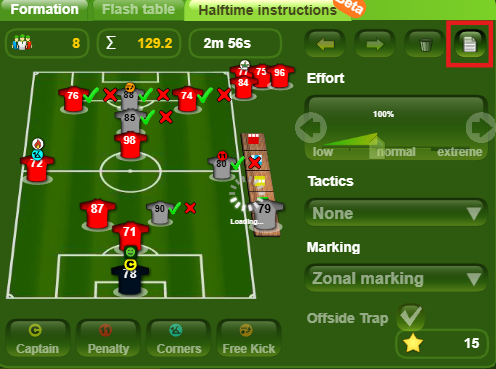
At the top, you will see the total average strength of the players in the line up and the total of different personalities. On the right, you will see 4 buttons, which allow you to undo and redo the last change, reset the changes and access the changes log.
At the bottom (highlighted in red), you will see the total of GU STARS that will be deducted for the changes.
Once you made the changes, make sure you click Save.
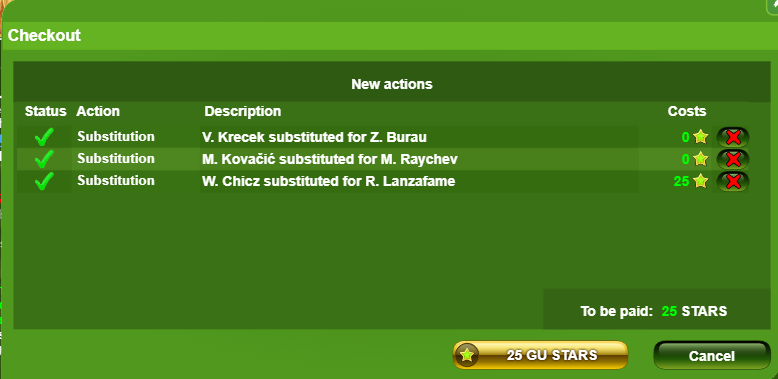
After clicking Save, a pop-up confirmation will appear to confirm the changes and the STARS price, if applicable.
You can also move the position of the players on the field for the second half, for example, if you decide to play more offensively or more defensively in the second half, or if you want to strengthen specific sectors.
To move a player on the field, click the player, then click on the new position on the field where you would like him to play.
To view the changes that you made before halftime, click the Half-time instructions tab in the live ticker, then, click the “Checkout“ button (highlighted in red in the screenshot below).
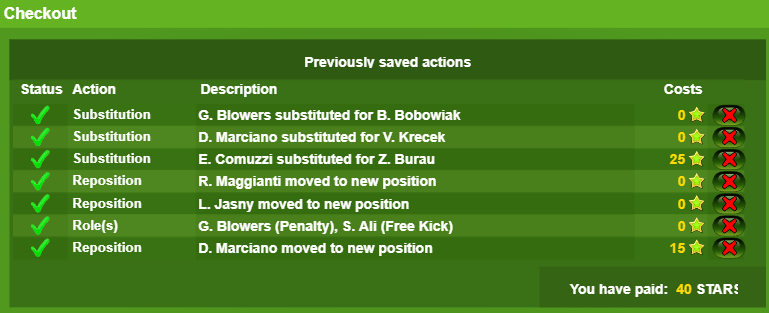
The log is displaying the list of the changes made (substitutions, players movements, tactics, marking and role changes) and the status of each change (failed or successful). You will also see next to each change the STARS cost and the bottom the total cost in STARS.
The changes can also be cancelled from this window (before the deadline).
The only situation when an automatic substitution is made is in case of an injury.
In case a manual substitution for that position is pending for the second half and an injury happens before the end of the first half, then this manually scheduled substitution is processed right away.
During the first half of the match, there are several other changes that you can make to attempt to change the course of the match.
Tactic
You can also change the tactic for the second half. The change of the tactic is free.
Effort
The cost is 125 GU STARS per effort adjustment *(this price is dynamic and may change over time).
If you adjust effort at half-time using GU STARS, Encourage Cards cannot be used afterward.
If you choose to use an Encourage Card to modify effort, you will no longer be able to use GU STARS for additional effort adjustments.
The minimum effort you can set at half-time is 50%.
The maximum effort that can be set is 150%, or up to 185% if you own special decorations (Dragon Monuments and Wood Snake Monuments)
The effort slider is available only in official competitions (league, cup and IM matches)
Roles
If one of the players you replace in the second half has a specific role set, consider assigning that role to a different player who will be part of the lineup in the second half. Changing the roles does not require GU STARS
Marking and offside trap
If you wish to change the Marking or enable/disable the offside trap type at halftime, that is possible (no STARS are required).