The Annex Club Offices buildings expand your Headquarters and unlock additional features for your club, including:
Access to the Board of Legends
The ability to expand your Trophy Cabinet
There are two available buildings:
Veterans Hub
Veterans Hub (Pro)
To activate the Veterans Hubs, go to Club → Stadium, then click the Annex tab.
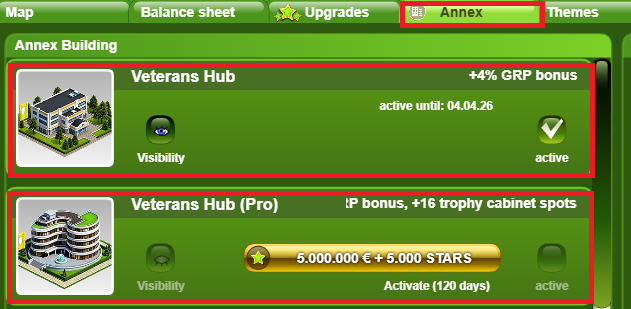
Unlocks the Board of Legends in your Trophy Cabinet.
Allows placing up to 2 retired players into the Board of Legends on your Club Contact page.
Each placed retired player provides a +2% GRP (Group Ranking Points) bonus in GUFA Clash 1-on-1 matches.
Maximum bonus: +4% GRP when Veterans are placed in the Board of Legends
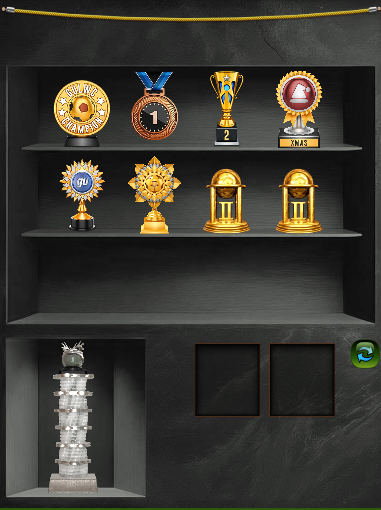
Expands Trophy Cabinet capacity by allowing 4 additional trophies per line (up to 24 in total)
Enables placing up to 3 retired players into the Board of Legends.
Each placed retired player provides a +2% GRP (Group Ranking Points) bonus in GUFA Clash matches (Total bonus 6% when 3 Veterans are placed)
Includes arrows to browse the expanded Trophy Cabinet.
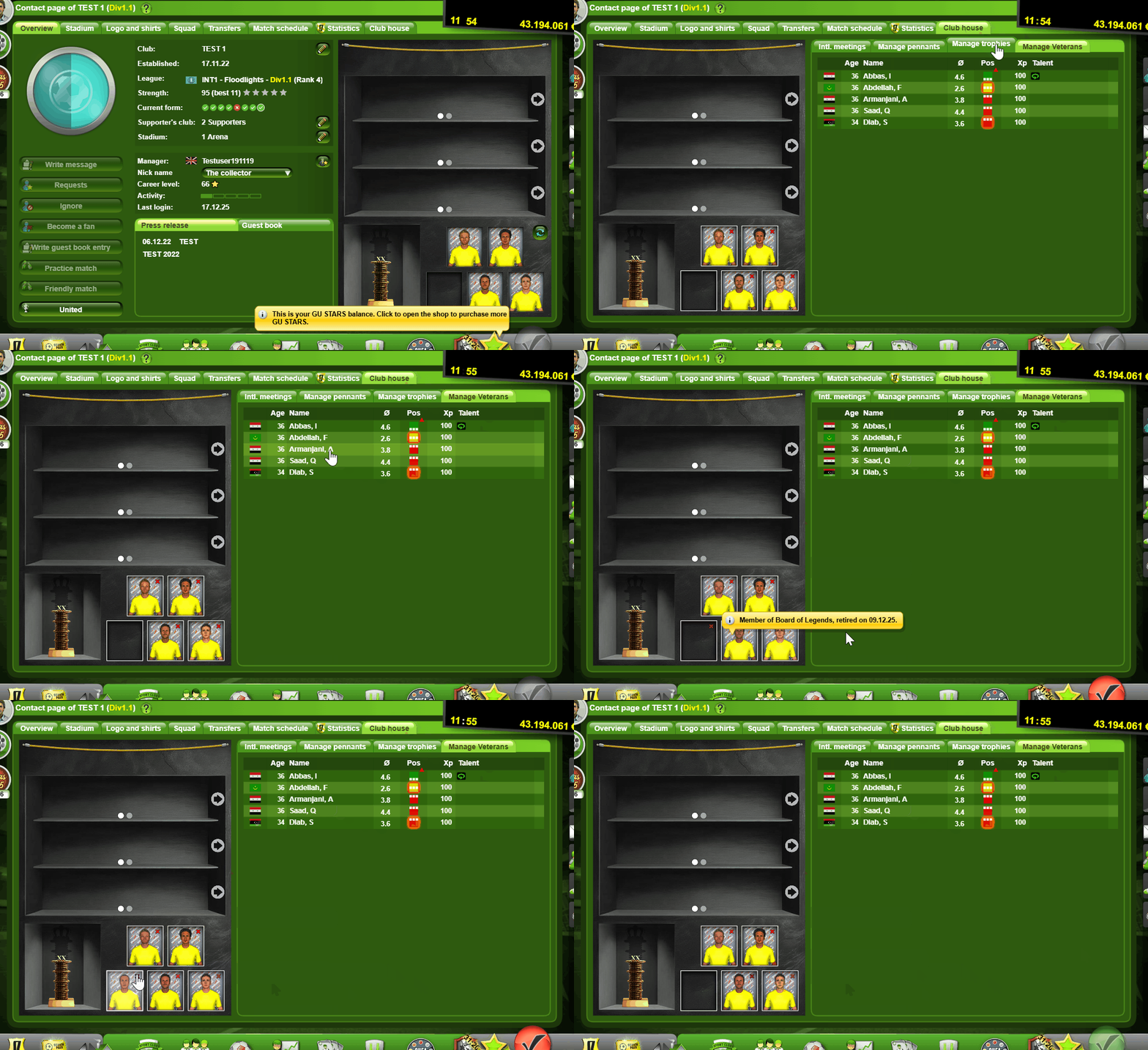
Once you purchase the Veterans Hubs, go to Club -> Contact Page -> Clubhouse tab and select Manage Veterans
On the left, you will see the Trophy Cabinet and at the bottom the Board of Legends. By clicking the slots, it will open a list with the players who retired at your club. Click the player that you want to show and save. To remove a player from the Board of Legends, click the little red “x” in the right corner.
You can select up to 2 if you own the Veterans Hub regular and up to 5 if you own both Veterans Hub regular and Pro.

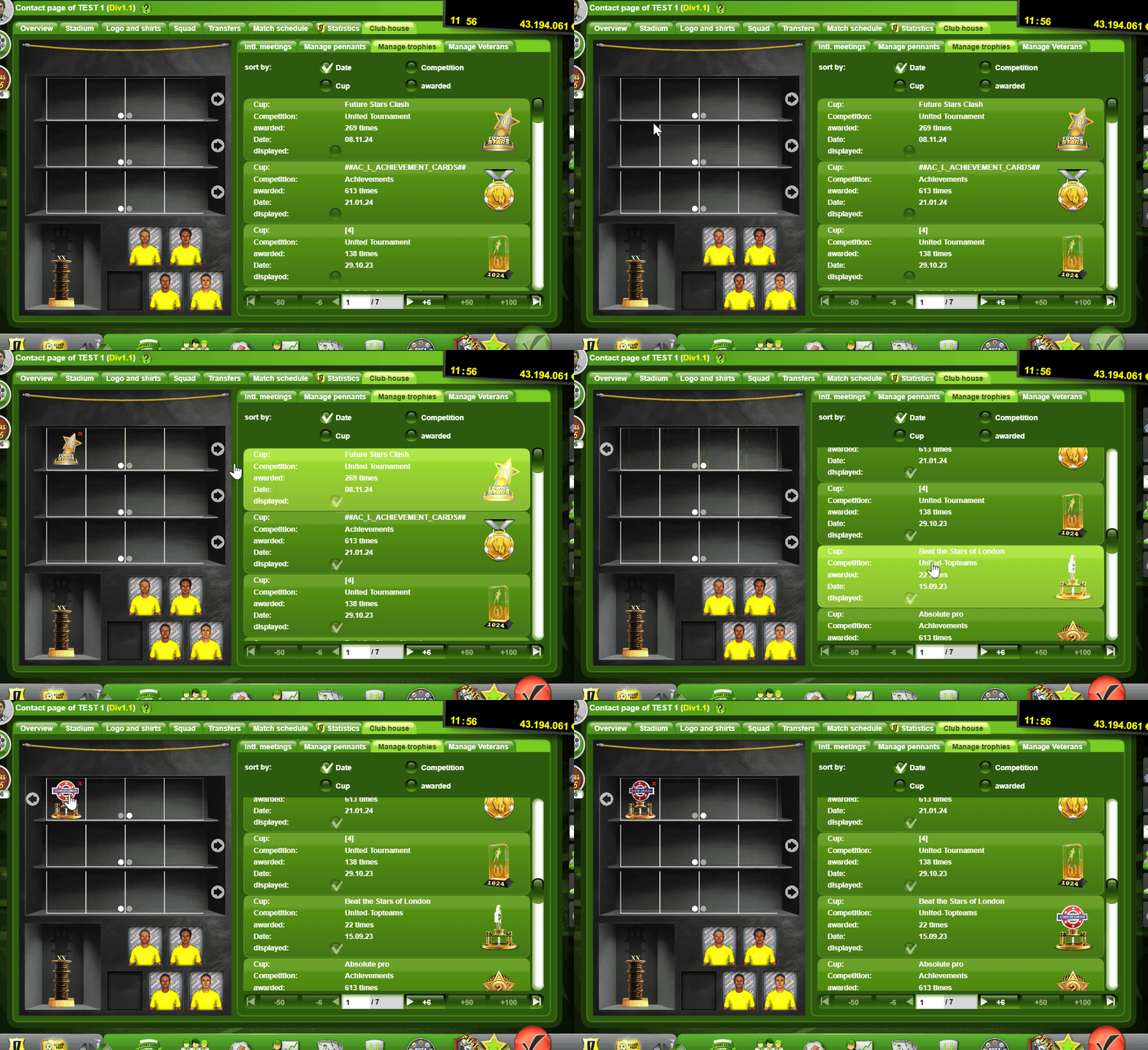
After purchasing the Veterans Hub Pro, you get the ability to add 4 extra trophies per line, to show in your trophy cabinet.
Go to Club -> Contact Page -> Clubhouse tab and click Manage trophies
To add/replace trophies, click on a trophy in the list on the right and then click the slot on the left where you want to place it.
For the extra trophy slots given by the Veterans Hub Pro, click the arrows next to each trophy line.