On the contact page, you can find just about all the information about a club, including your own. This is the perfect place to check out your next opponent.
To open the contact page of your next opponent or your own, you can click on the club logo on the top of your screen that shows the next match. You can also find your own contact page in the "Club" menu.
For other clubs, there are many ways to get to the contact page. You can click on a team in the league table, your buddy list, the club search and just about anywhere in the game where you can see other another manager's or team's name or logo.
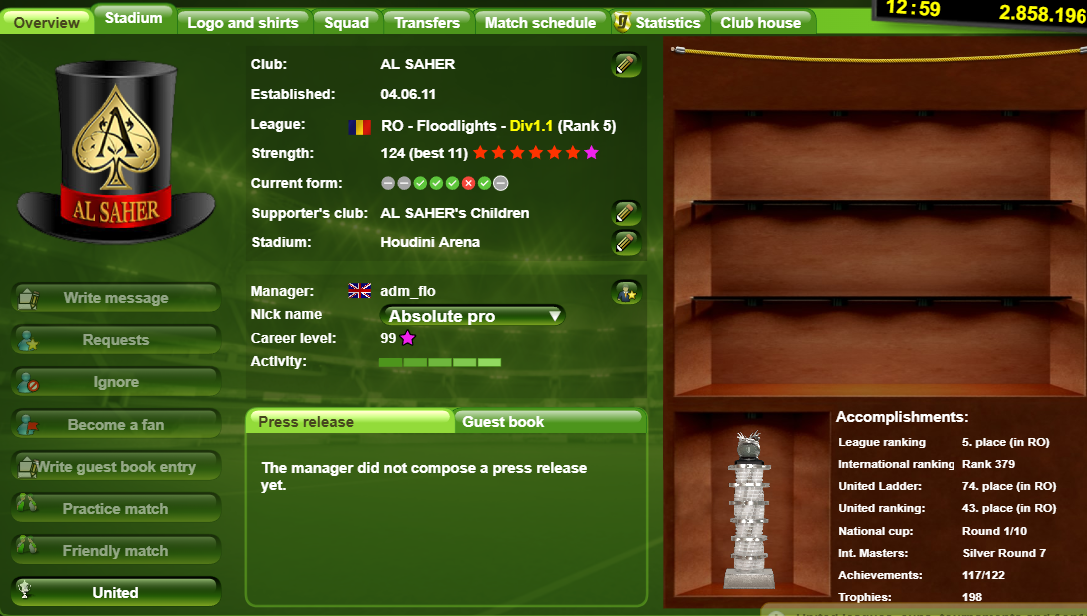
The overview page gives you general details about the manager and his club.
Here you can also check their current form—showing their Win/Loss/Draw streak from the last 5 matches.
On your own contact page, you can change your club name, supporter's club and stadium name here.
On the left side, you have different ways to interact with the other manager. You can write a message, send buddy list requests, or challenge the team to a match.
On the right side, you can see the club's trophy cabinet, the Board of Legends and an overview of the team's biggest accomplishments.
The Board of Legends can be unlocked if you own the Veterans Hub(s) Annex buildings. Also, if you own the Veterans Hub (Pro), you can add additional trophies to your club cabinet.
On the stadium page, you can take a look at your own or any other manager's stadium.
Here you can check out other teams' club logos and shirts. On your own page, you can upload a new logo here and set your shirt designs.
Here you will get a lot of information about the team's players. On other managers' contact page, the salary of each player is hidden. You can get a great overview of your opponent's team here. You can see which players are blocked because of a red card, which ones are injured, and how their form is. It can be a great help to decide your strategy.
Here you get a list of the latest transfers. Again, on other managers' pages, some values are hidden.
Here you can get a quick overview of the last and next matches. (On your own page you can also set formations with the formations button right on the right side next to the upcoming matches).

As a premium account user, you will get a lot of valuable information here. You can get information about the team itself, the players, club achievements and transfers.
In the clubhouse section of your own club, you can see and manage your trophies, your pennants and your Veterans.
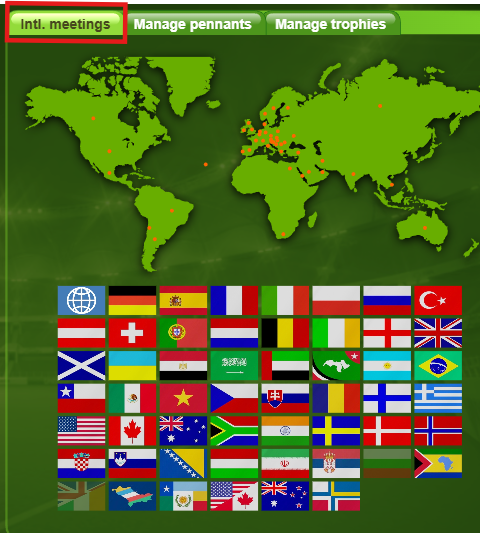
You can also check here the collected flags.
Collecting flags is a nice little challenge in goalunited. You earn flags automatically when you play against a club from a specific country (friendly/practice or official matches)
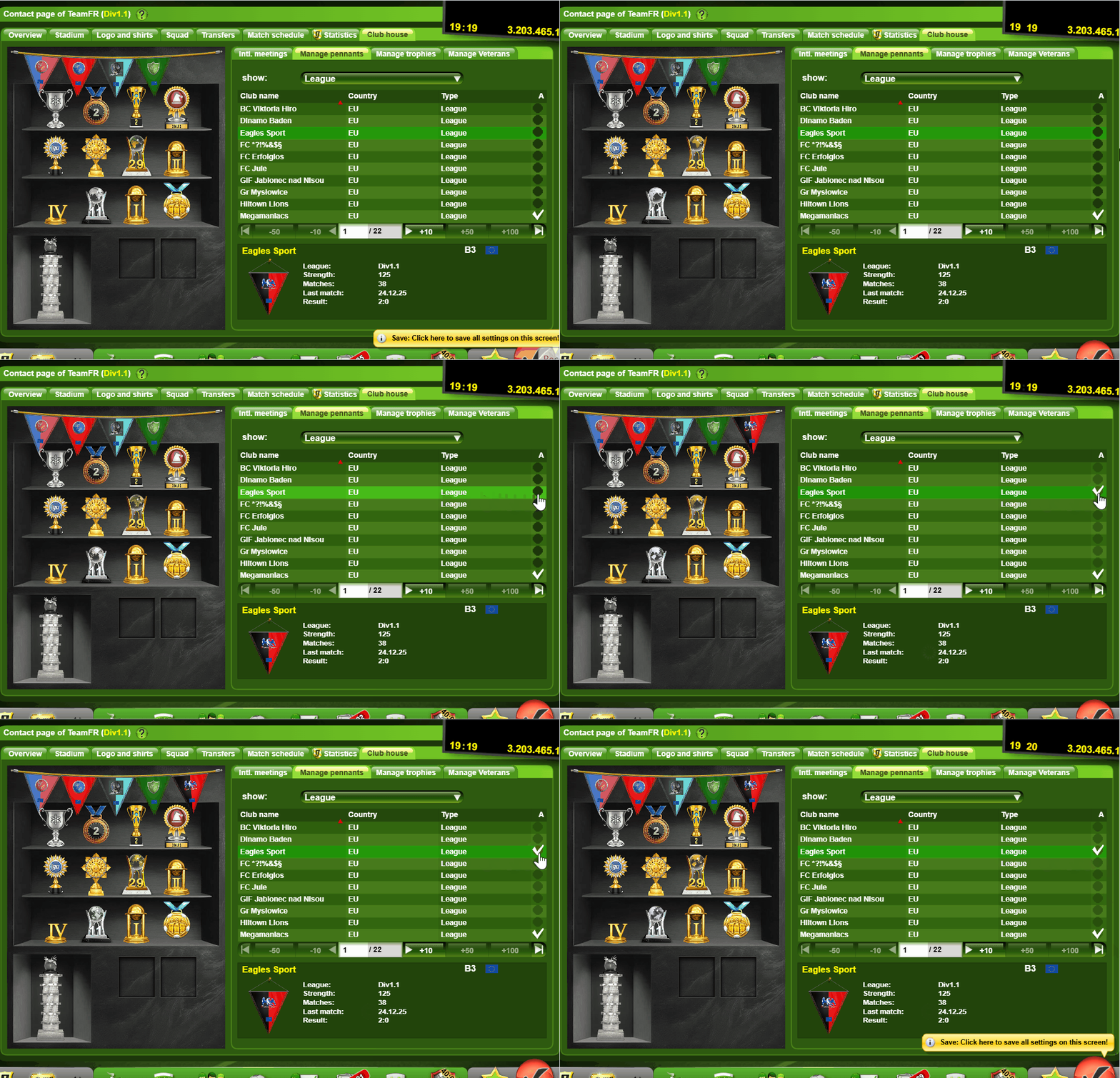
In goalunited, you have the option to add pennants of clubs that you met in various competitions. Once added, the pennants will show in the trophy cabinet above your trophies.
To remove a pennant from the trophy cabinet, click on the “Manage Pennants” tab, then click the dropdown and select “Pennant board“. Here you can deselect the pennants that you no longer want to appear in your trophy cabinet.

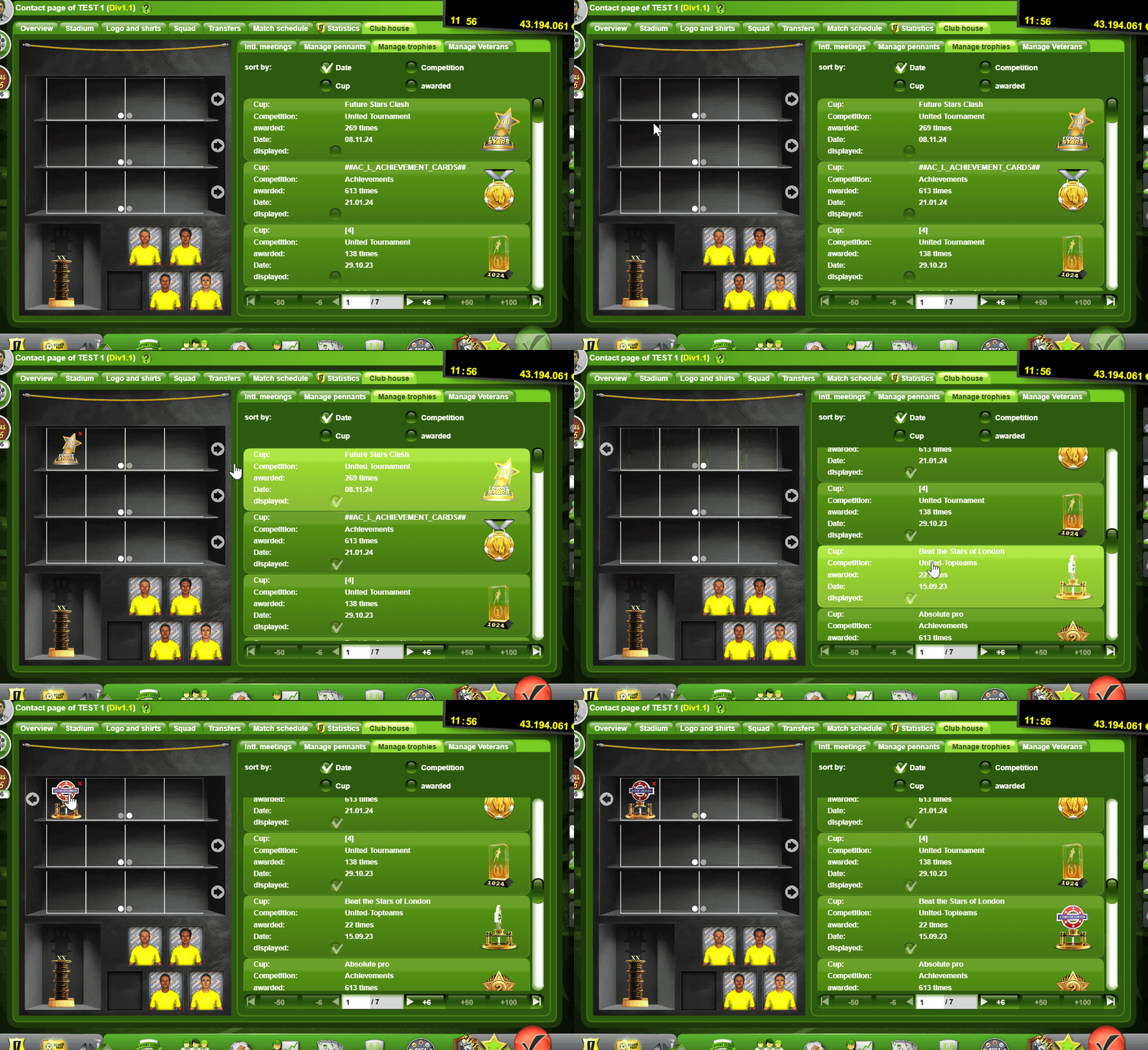
After purchasing the Veterans Hub Pro, you get the ability to add 4 extra trophies per line to show in your trophy cabinet.
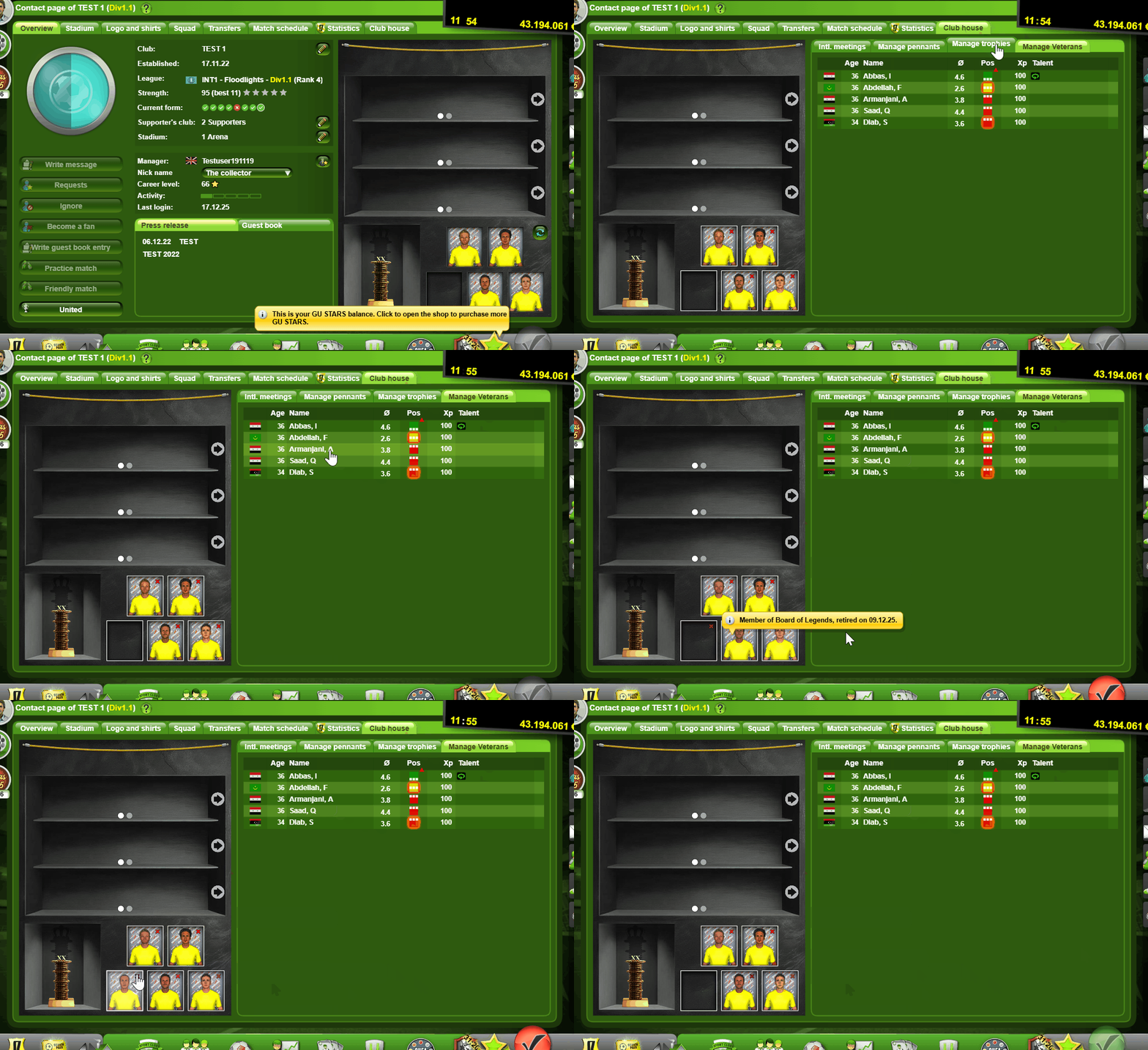
Go to Club -> Contact Page -> Clubhouse tab and click Manage trophies
To add/replace trophies, click on a trophy in the list on the right and then click the slot on the left where you want to place it.
For the extra trophy slots given by the Veterans Hub Pro, click the arrows next to each trophy line.
Once you purchase the Veterans Hubs, go to Club -> Contact Page -> Clubhouse tab and select Manage Veterans
On the left, you will see the Trophy Cabinet and at the bottom, the Board of Legends. By clicking the slots, it will open a list with the players who retired from your club. Click the player that you want to show and save. To remove a player from the Board of Legends, click the little red “x” in the right corner.
You can select up to 2 if you own the Veterans Hub regular, and up to 5 if you own both Veterans Hub regular and Pro.