Merchandising is an additional source of income for your club. It allows you to sell memorabilia in your team colors to your fans – like shirts, scarves and balls. For this, you need a factory and a fan shop.
Merchandising offers an excellent way to improve your income because real football fans love nothing more than to bring home memorabilia from your team.
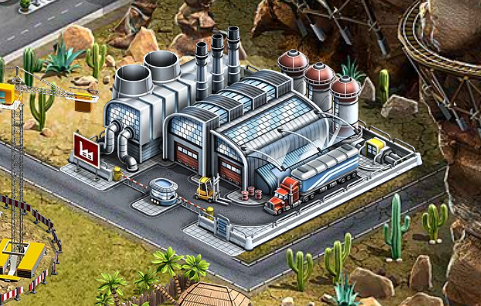
To produce items like shirts and cups you need a factory. The more you expand your factory, the more items become available for production.
As soon as you reach career level 10, you can build a factory in your stadium complex. There are 5 factory levels. The higher the level of your factory, the bigger the range of items you can produce. With the construction of the 3rd and 5th levels, you receive an additional production line, which allows you to produce up to 3 items simultaneously.
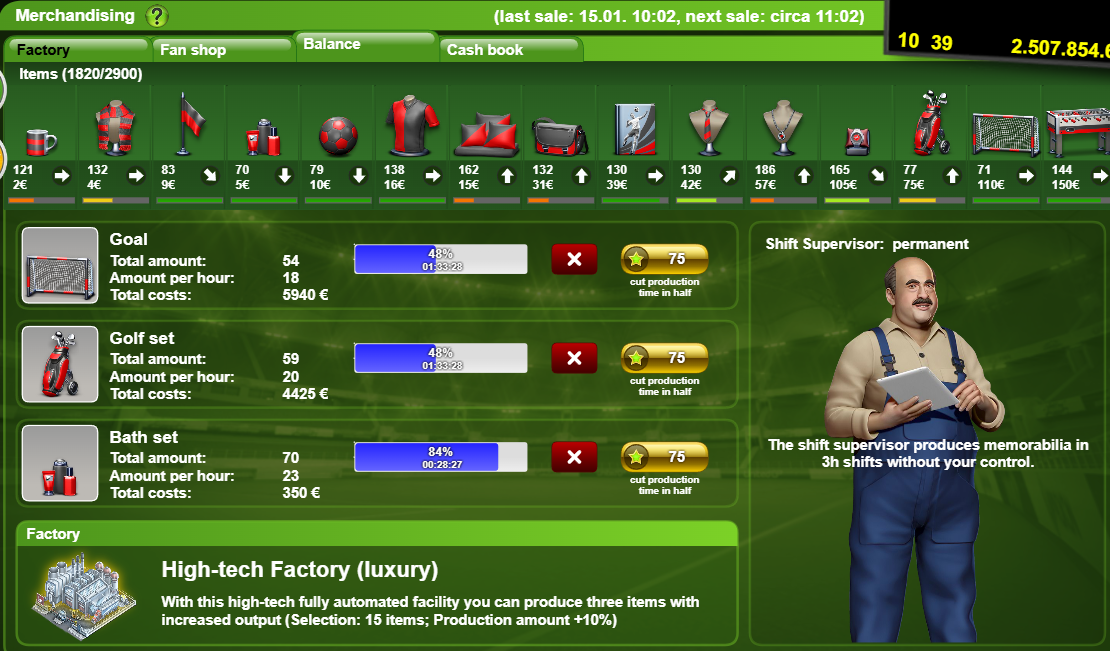
Once your factory is constructed, you can select the merchandising tab in the club menu to produce items. Select the item you want to produce and move it to a free production line. You can then select how long you would like to work on that particular item (0.5 – 24 hours). The longer the time, the more items are produced. Start the production by clicking on the “Produce” button. The production costs are deducted from your account. With a click on the golden button, you can cut the production time in half.
You can cancel a production at any time by clicking on the X button. Careful: The complete production is cancelled! You receive no items, but the complete amount of money is refunded.

The higher you advance in your manager career, the more buildings become available!
Building details - The Factory
Name | Level | Cost STARS/IGM | Effect | Career level requirement |
Manufacture | 1 | 50.000 IGM | Selection of 3 different items | 10 |
Work Shop | 2 | 200.000 IGM | Selection of 6 different items | 15 |
Small Factory | 3 | 690.000 IGM | Selection of 9 different items | 23 |
Small Factory (Luxury) | 3 | 345.000 IGM + 850 GU STARS | Selection of 9 different items (Production amount +5%) | 20 |
Modern Factory | 4 | 1.300.000 IGM | Selection of 12 different items | 29 |
High-Tech Factory Luxury | 5 | 2.050.000 IGM + 3100 GU STARS | Selection of 15 different items (Production amount +10%) | 34 |
Assembly line | 5 | 4.100.000 IGM | Selection of 15 different items | 38 |
IGM = In-game Money
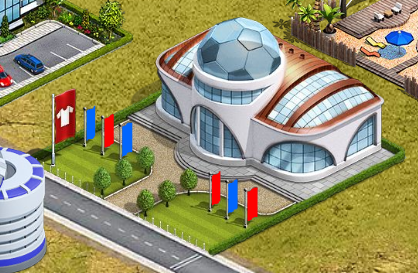
You also need a fan shop to sell your items, the bigger the shop, the more shelves and storage you have to sell more items.
As soon as you reach career level 11, you can build your first small fan shop in your stadium. The Fan Shop building has 6 levels available. The higher the level, the more sales shelves are available. In the smallest shop, you begin with 2 shelves; in the biggest, you have 8 shelves available. Each shelf can be filled with up to 100 items of the same kind. Also, the higher the level, the more storage space you will have.
You cannot produce any more items when your storage is full.
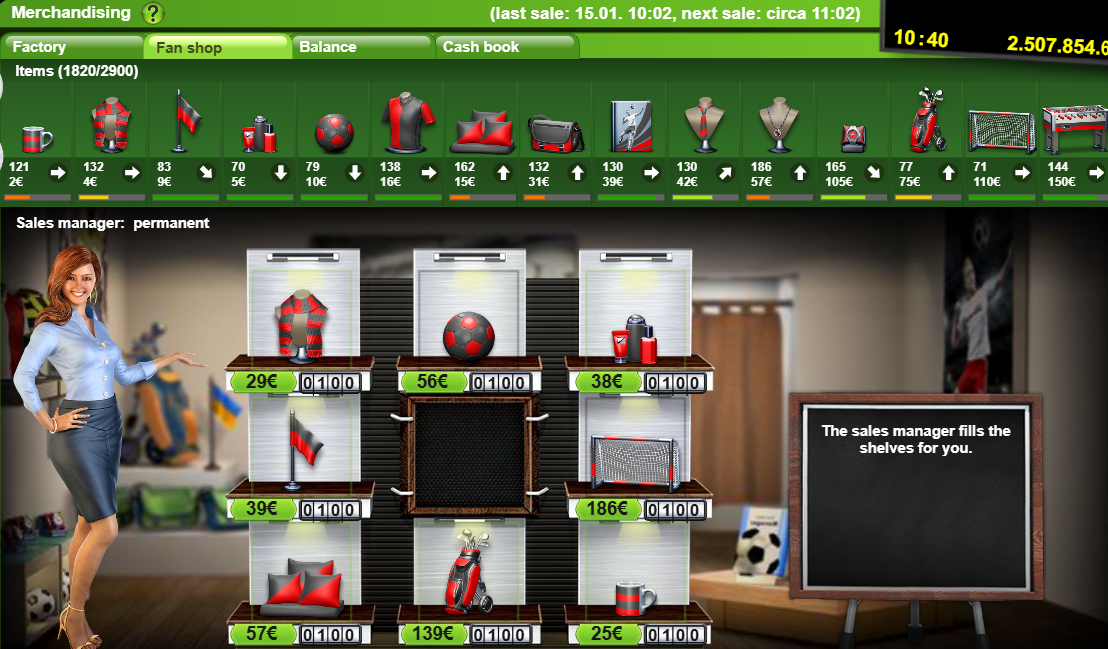
To sell items, you have to place them in your shelf slots. After that, you can adjust the price, and don’t forget to save the page. The price has to be set at least 1€ above the production price.
Building details - The Fan Shop
Name | Level | Cost STARS/IGM | Storage Capacity | Career level requirement |
Small Sales Container | 1 | 200.000 IGM | 250 (2 different items) | 11 |
Shopping Booth | 2 | 710.000 IGM | 500 (4 different items) | 17 |
Fan Shop | 3 | 1.500.000 IGM | 875 (6 different items) | 22 |
Fan Boutique Luxury | 3 | 750.000 IGM + 900 GU STARS | 900 (6 different items) | 21 |
Fan Store | 4 | 3.200.000 IGM | 1500 (7 different items) | 31 |
Mall | 5 | 5.600.000 IGM | 2800 (8 different items) | 44 |
Mall Luxury | 5 | 2.800.000 IGM + 2900 GU STARS | 2900 (8 different items) | 40 |
Fan Dome | 6 | 7.000.000 IGM + 5500 GU STARS | Increases demand by up to 25% | 63 |
IGM = In-Game Money
The number of each item that you will sell depends both on the demand and the price. The higher the demand, the more items can be sold, or the higher you can set the price. On home match days, there is generally a higher demand for all items (Except for United matches).
Each item of memorabilia has a unique daily demand. It is shown by the small bar under the item graphic. The higher the bar (dark green), the higher the demand. The arrow indicates the demand tendency for the upcoming days. If the arrow points up, the demand on the following day will be higher, and vice versa. You can also see the number of items in your storage facilities and the production price.
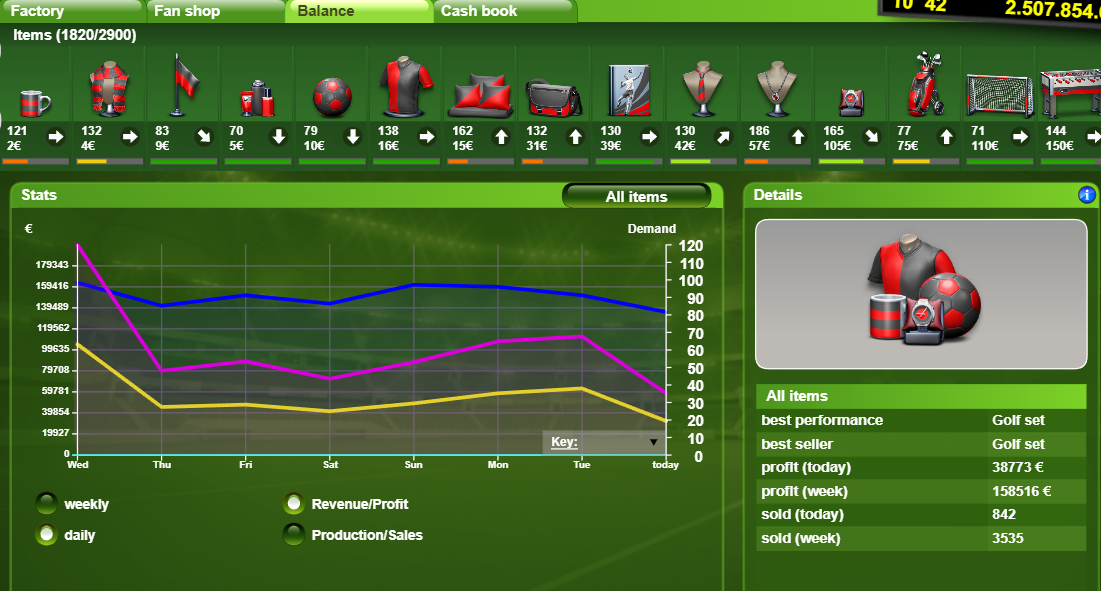
In the Balance tab, you can see how many items you have sold and how much profit you made. This helps you to figure out which item was most lucrative and which one was sold the most.
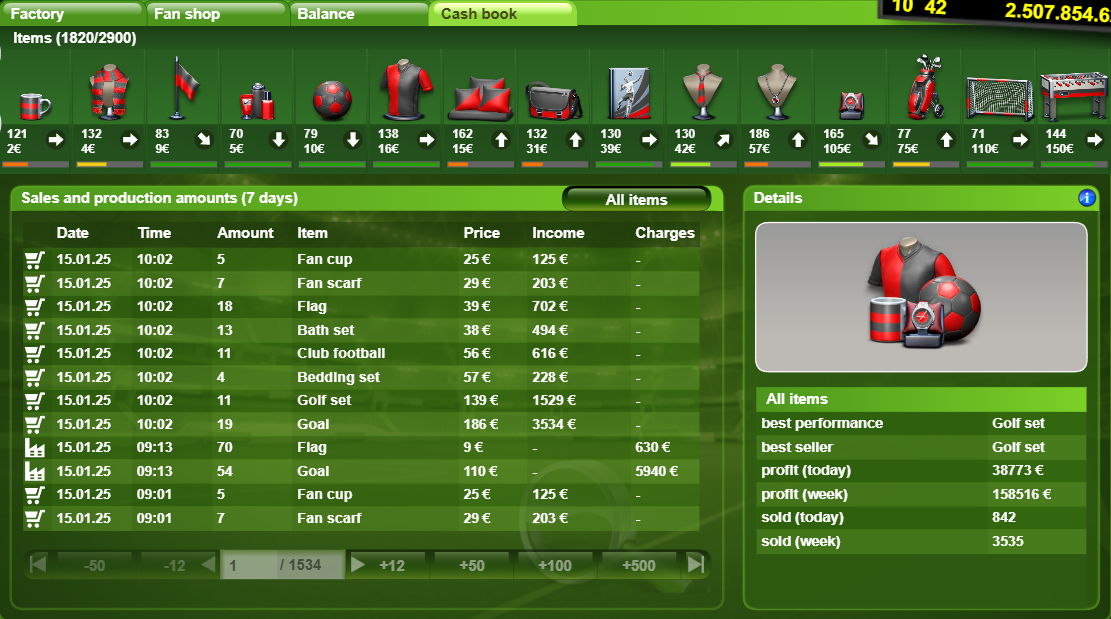
In the Cash book, you can see the sales and productions of the last 7 days.
 Buildings listFinances and merchandising